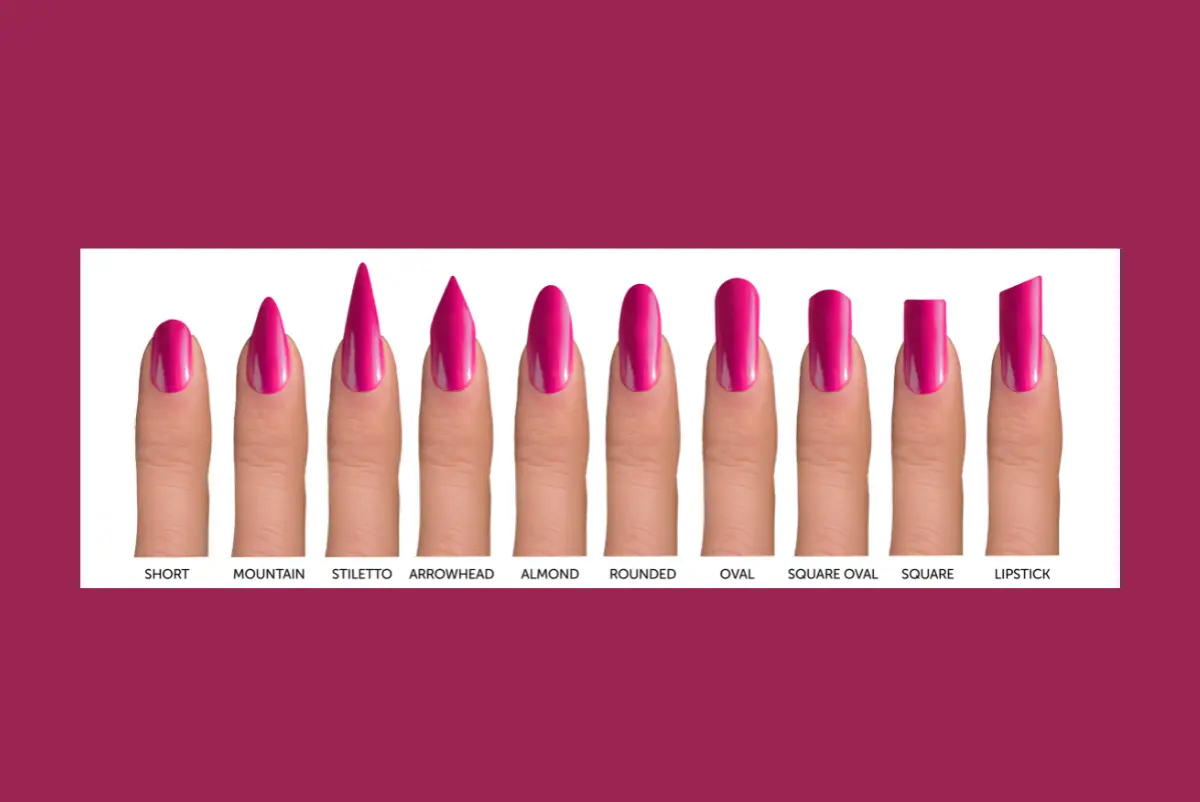
There are different beautiful nail shapes available for ladies to use, but not all nail shapes fit all walks of life. This makes deciding on the nail shape that would make typing on the computer a comfortable task a complex decision for most professional women who have a great sense of fashion and love to keep their nails in great shape.
Typing on a computer is an essential task you can’t avoid if you work in an office setting, especially in this computer age. Therefore, you have to go for the best nail shape for typing on a computer to be more efficient at work.
Some of the common nail shapes include almond, oval, Stilleto, round, coffin, square, etc. Each one of them serves well in different situations, but the nail shapes that can be used to type on the computer will be discussed fully in this article, along with how you can make use of them comfortably.
7 Common Nail Shapes We Have
- Round-shaped Nails
- Oval-shaped Nails
- Square-shaped Nails
- Almond-shaped Nails
- Stiletto (pointed) shaped Nails
- Coffin (ballerina) shaped Nails
- Squoval-shaped Nails
1. Round-shaped Nails
Rounded-shaped nails are usually tidy and elegant, and they help elongate shorter fingers. You can opt for this shape if you have short fingers with short or narrow nail beds. Round-shaped nails go well with any shade of polish and can also be left unpainted, looking elegant nonetheless.
2. Oval-shaped Nails
This nail shape is feminine, classy, and classic, with a U-shaped curve. If you have shorter fingers or shorter hands with wide, stubby nail beds, the oval shape can create the illusion of length. It’s also good for longer fingers with wide and short/stubby nail beds. Oval nail shapes are the best for nail art and classic French manicures.
3. Square-shaped Nails
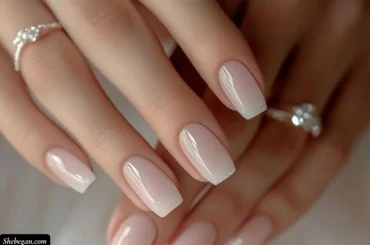
Another beautiful shape is the square nail. These are stylish and clean-cut nails that require low maintenance. Square-shaped nails are suitable if you have long fingers with long, narrow nail beds. Bold polish colors complement this nail shape.
4. Almond-shaped Nails
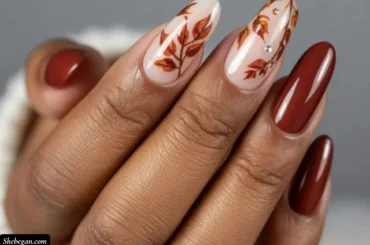
Almond shapes are glamorous, chic, feminine-looking nails. If you have shorter fingers or shorter hands with wide, stubby nail beds, this nail shape can give your nails a longer look. It’s also good for longer fingers with wide and short/stubby nail beds. Plain, shiny, and metallic polish colors work well with this shape.
5. Stiletto (pointed) shaped Nails
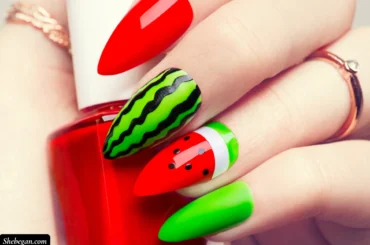
Stiletto-shaped nails, also known as pointed-shaped nails, are typically bold shapes that require high maintenance and elongate hands. If you have time and money for upkeep and want to make a statement, these shapes work well with elaborate and pretty nail designs.
6. Coffin (ballerina) shaped Nails
Coffin (ballerina) shaped nails are chic-looking and glamorous shapes that also require high maintenance. They look good on narrow and long nail beds. Pale polish colors enhance the beauty of this shape.
7. Squoval-shaped Nails
This nail shape is a classic choice that suits all kinds of fingernails. If your nail beds are wide and long, you can opt for squoval shapes. Whether you have short or long fingers, geometric nail art complements squoval shapes well.
3 Best Nail Shape for Typing On a Computer
Here is a list of the best nail shapes for typing on the computer. They are less likely to hit other keys and chip, and they won’t make as much noise while typing, which can be great if you are in an open-plan office:
- Round-shaped Nails
- Oval-shaped Nails
- Square-shaped Nails
1. Round-shaped Nails
Round nails are the best shape for typing on a computer, especially if you are just starting your journey of typing with artificial nails. They are almost like your natural nail shape, making them comfortable and easier to adapt to. They reduce the chances of accidentally hitting multiple keys simultaneously, minimize typos, and allow for faster typing.
2. Oval-shaped Nails
The oval shape is another good choice for typing on a computer. You may need to modify your typing technique since these nails are wider and somewhat harder to control. With practice, you can become comfortable and enjoy an elegant nail shape that allows you to explore bigger and bolder styles.
3. Square-shaped Nails
Square nails are suitable for anyone who spends a lot of time typing. While there may be a learning curve due to their broader surface area, if you don’t type very fast, square shapes are easy to maintain and effective.
These are the common nail shapes ladies use for typing on a computer. However, others may choose different shapes based on preference and mastery.
If you’re a beginner typing with fake nails, it’s advisable to start with a rounded, short oval, or square shape to avoid damaging your nail beds or experiencing the frustrations often associated with fake nails. As you master these, you can experiment with longer and bolder shapes.
Can You Type On A Computer With Long Nails?
Yes, you can type on a computer with long nails. Many ladies keep beautiful long nails and can type comfortably. To do this, you’ll need to choose the right nail shape and learn how to type with longer nails. Practice regularly, and you’ll soon be typing accurately and quickly.
How Do You Type With Long Nails On A Keyboard?
To type with long nails, use the pad rather than the tip of your fingernail. Flatten your fingers on the keyboard, maintain a good posture, and prioritize accuracy over speed, especially when starting. Taking regular breaks and practicing will make typing with long nails more comfortable.
What Is The Best Nail Shape For Office Work?
For office work, oval or round shapes are usually best. Bold and pointed shapes like ballerina, stiletto, squoval, etc., may be seen as distracting in a professional setting. Traditional shapes are the safest choice for office workers.
Final Thought
In conclusion, various nail shapes can be used for different purposes and fit into various settings. As a lady whose work requires daily typing, you must select the best nail shape to enhance efficiency and maintain a sophisticated appearance.
The best nail shapes for typing on a computer are round, short oval, or squared. Regardless of your choice, keep your nails well-trimmed to avoid interference while typing. Maintain a nail length and shape that helps improve your typing speed and overall experience on a computer keyboard.